To send a sign-up link to staff who have not been invited before, please follow the steps below:
1. Go to My Center -> Staff screen
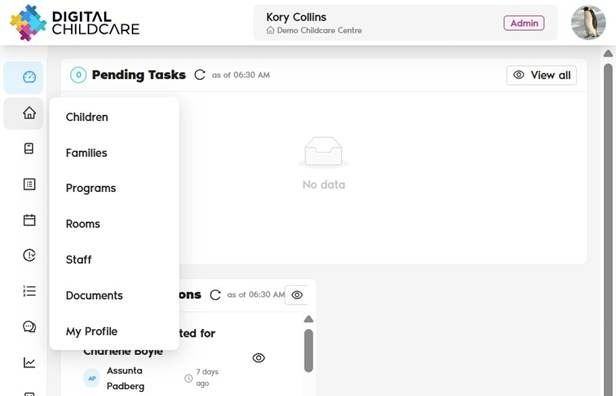
2. Find the staff member you wish to invite
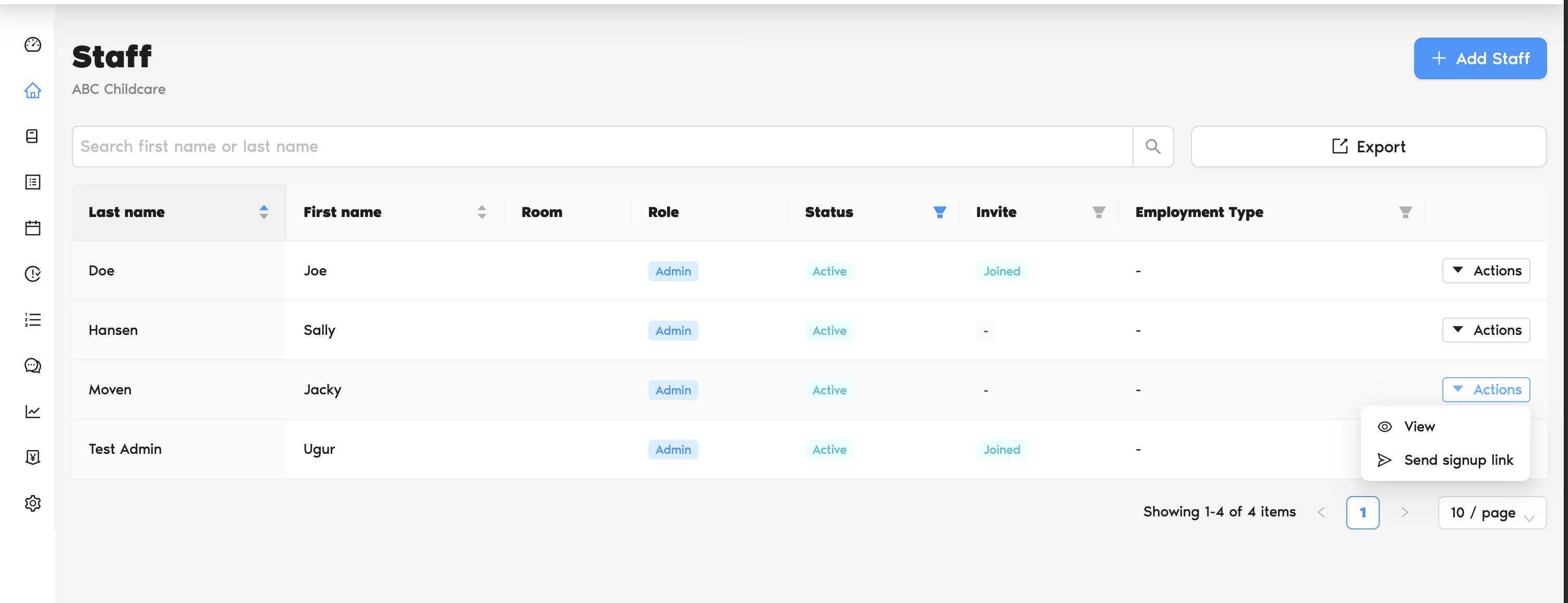
3. Click Action → Send Signup Link
4. The staff member will receive an email with a signup link
✔️ They complete registration by clicking the link in the email.
? If they don’t see the email in their inbox, they should also check their spam/junk folder
Was this article helpful?
That’s Great!
Thank you for your feedback
Sorry! We couldn't be helpful
Thank you for your feedback
Feedback sent
We appreciate your effort and will try to fix the article