Inviting New Families & Sending Sign-up Link
This guide provides a straightforward process for inviting new families to join your childcare platform, ensuring that no potential users are overlooked. By following the steps outlined, you can efficiently send mass invitations or individual sign-up links, streamlining the onboarding process. Utilizing this guide will help expand your community and enhance engagement with new families, making it an essential resource for childcare providers.
1. Navigate to https://app.mydigitalchildcare.com/dashboard

2. Click on "Families"

3. Click "Send Sign-Up Link". This will send a mass invitation to all families who have not yet joined the platform.

4. Click "Send sign-up email"

5. Click "Invite New Family" to send a sign-up link directly to a new parent who is not yet on the platform.

6. Click "Invite New Family" to send a sign-up link directly to a new parent who is not yet on the platform. Once you complete the information "Click" send.

Remind Families Who Haven’t Joined Yet
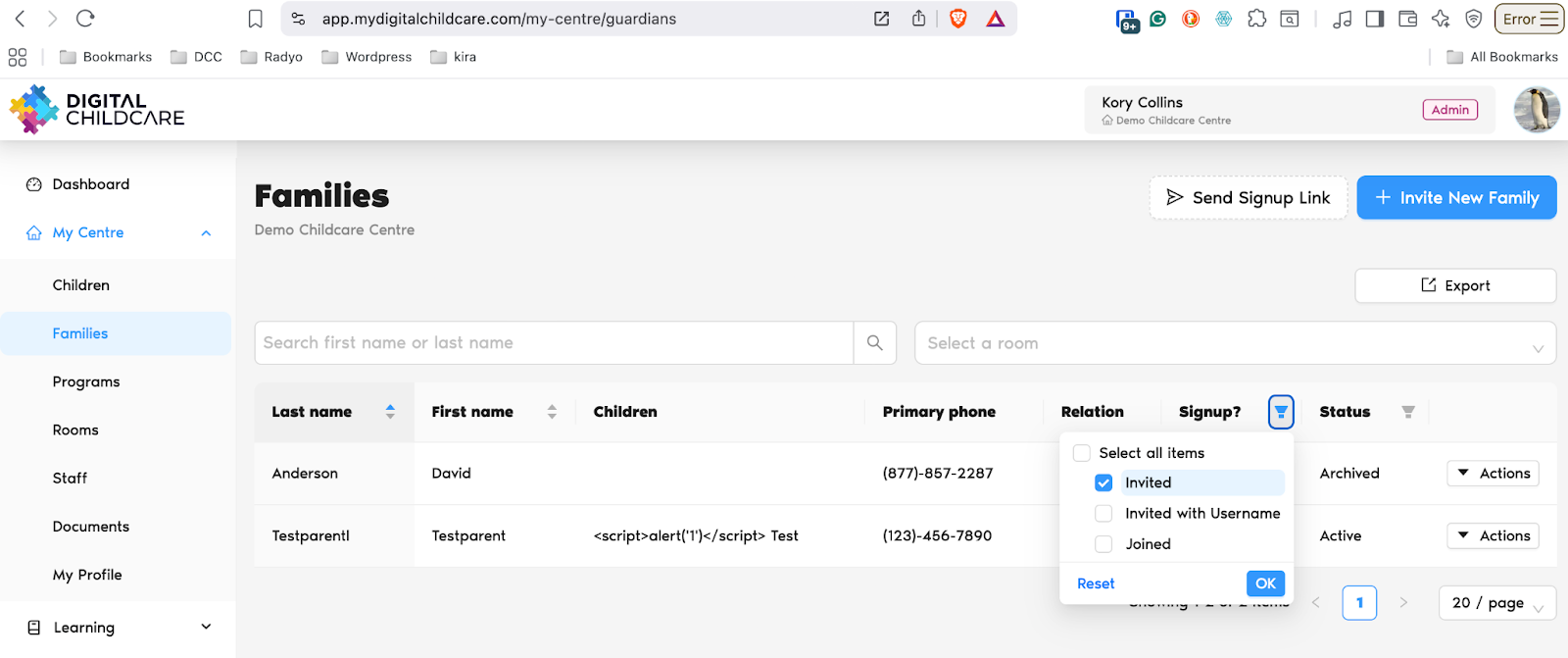
Go to the Families screen: https://app.mydigitalchildcare.com/my-centre/guardians
Click the filter icon next to the Signup? column header.
From the list, select Invited.
Click OK to apply the filter.
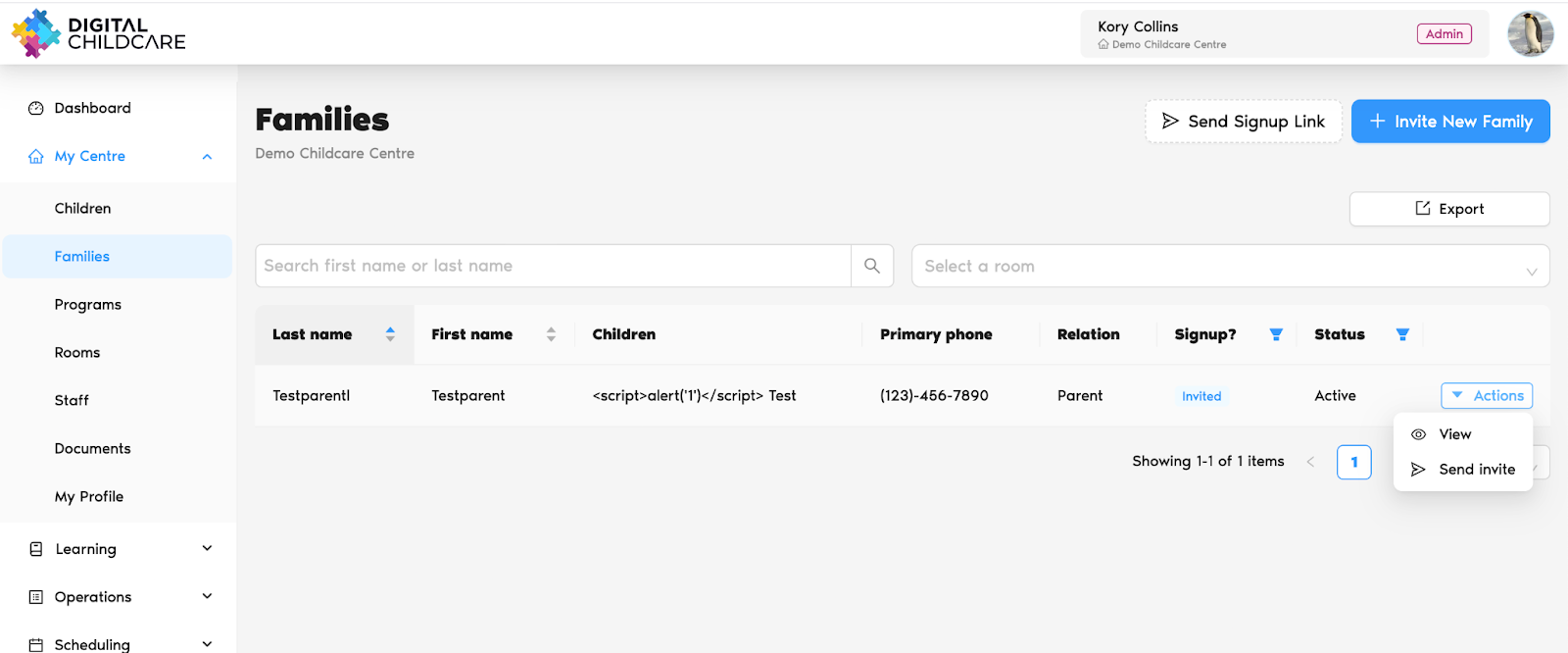
This will display all families who have been invited but haven’t joined yet.
5. Click Actions → Send Invite to send them a reminder.
Was this article helpful?
That’s Great!
Thank you for your feedback
Sorry! We couldn't be helpful
Thank you for your feedback
Feedback sent
We appreciate your effort and will try to fix the article