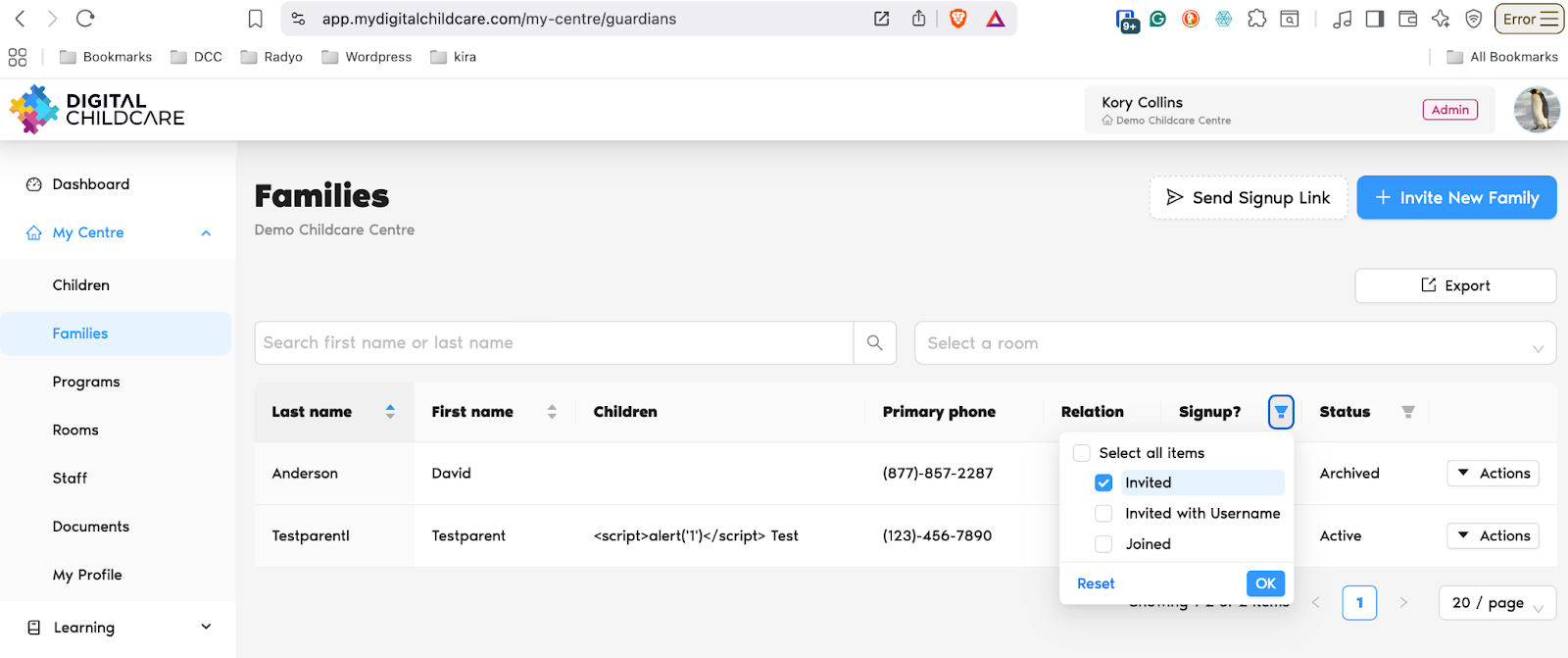
Go to the Families screen: https://app.mydigitalchildcare.com/my-centre/guardians
Click the filter icon next to the Signup? column header.
From the list, select Invited.
Click OK to apply the filter.
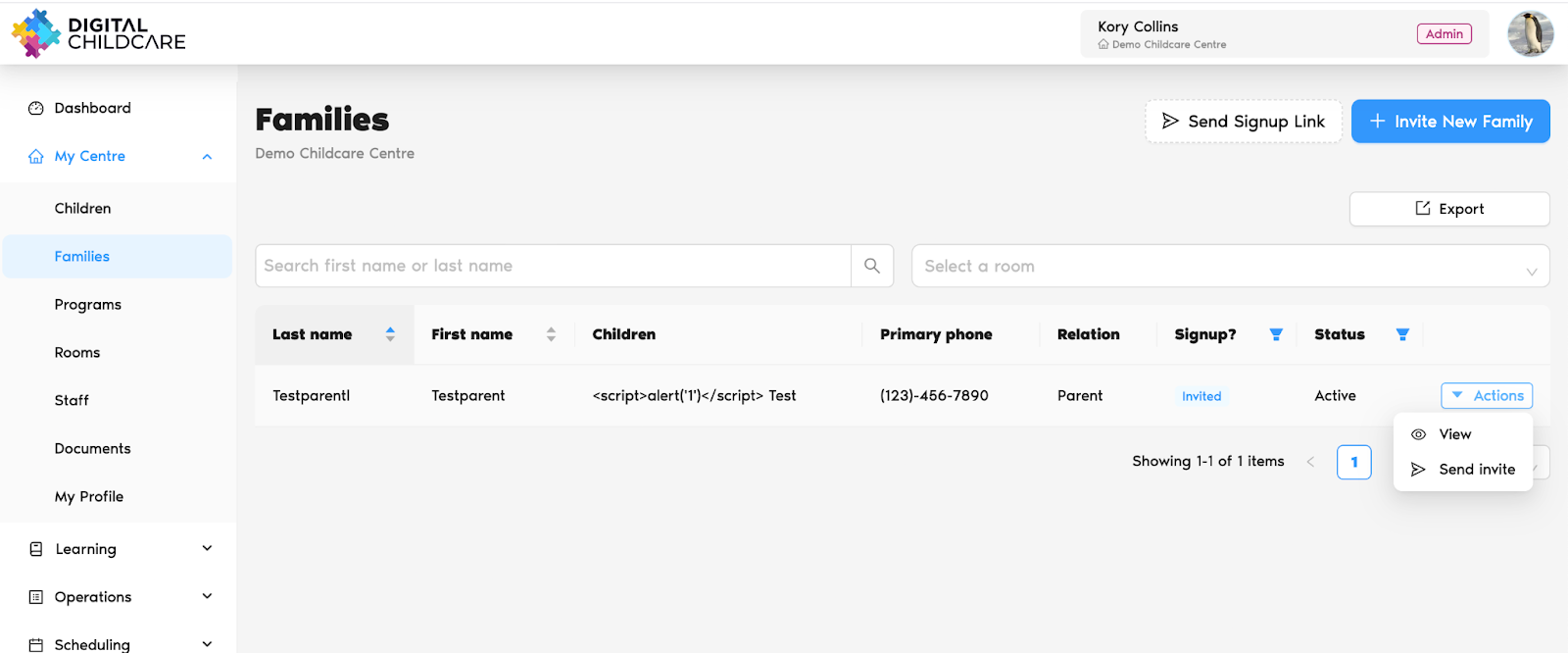
This will display all families who have been invited but haven’t joined yet.
5. Click Actions → Send Invite to send them a reminder.
Was this article helpful?
That’s Great!
Thank you for your feedback
Sorry! We couldn't be helpful
Thank you for your feedback
Feedback sent
We appreciate your effort and will try to fix the article