This guide provides detailed instructions on how to invite a parent to join the digital childcare platform by sending a secure sign-up link via email. Inviting a parent enables them to create an account (or log in to an existing one) and gain access to the child’s profile, ensuring shared visibility and collaboration in childcare management.
This guide will help you with the following:
- Inviting all parents who have not yet joined the platform
- Inviting a single parent to join the platform
Invite All Parents Who Have Not Yet Joined the Platform
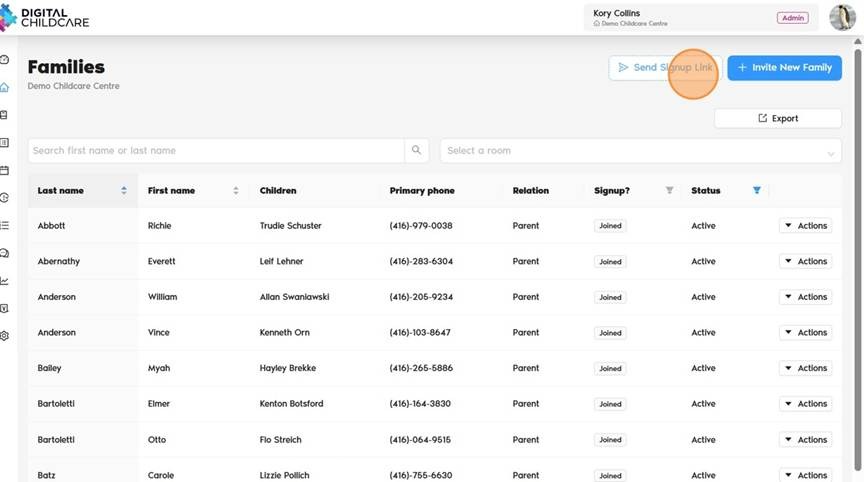
To send a sign-up link to parents who were recently added or previously invited but have not yet joined, please follow the steps below:
1. Navigate to https://app.mydigitalchildcare.com/dashboard
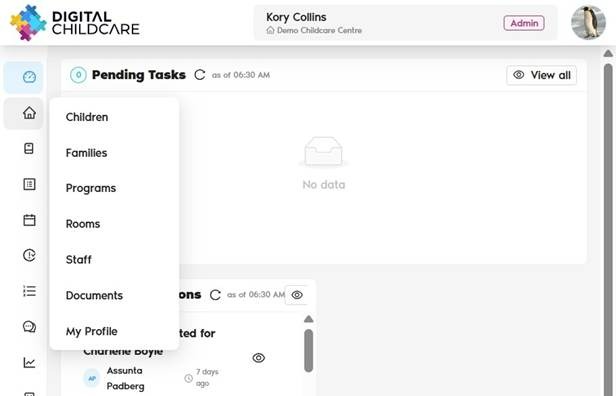
2. Click on "Families"
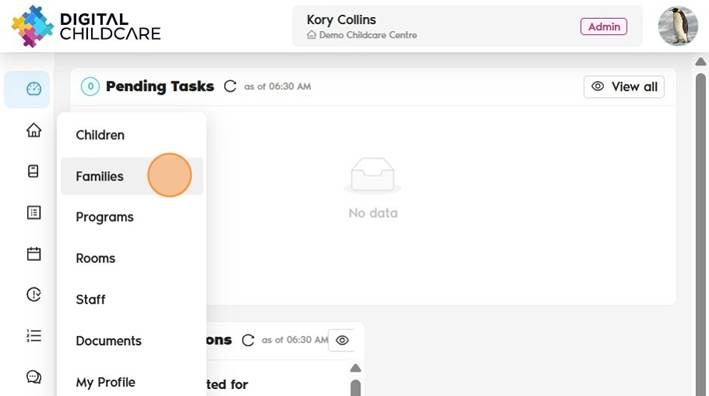
3. Click "Send Sign-Up Link". This will send a mass invitation to all families who have not yet joined the platform.
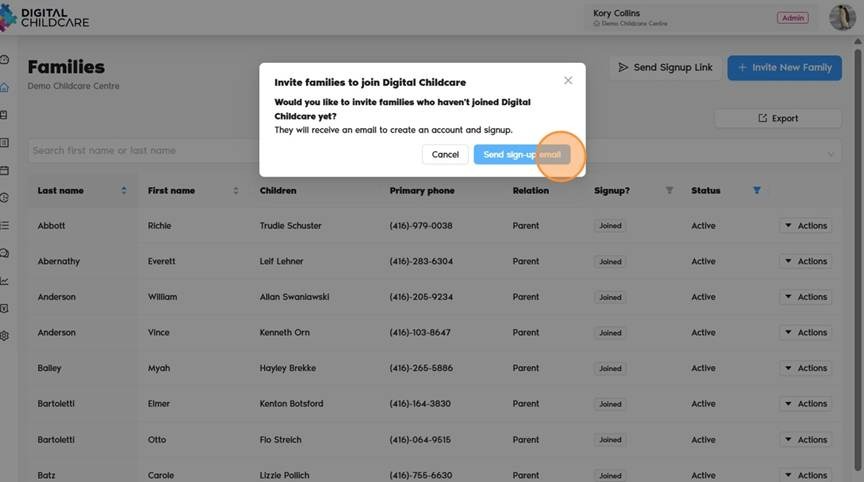
4. Click "Send sign-up email"
- Inviting a single parent to join the platform
Invite a Single Parent to Join the Platform
Please follow the steps below:
1. Navigate to https://app.mydigitalchildcare.com/dashboard
2. Click on "Families"
3. Find the parent you want to invite from the list.
4. Click Actions → Send Invite button.
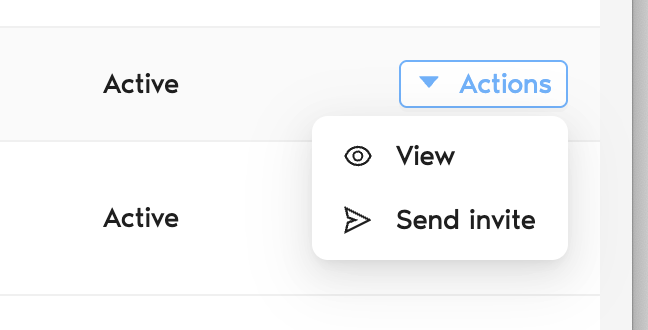
5. An invitation email will be sent to the parent’s registered email address.
6. The Send Invite button will not be visible if the parent does not have an email address registered.
Was this article helpful?
That’s Great!
Thank you for your feedback
Sorry! We couldn't be helpful
Thank you for your feedback
Feedback sent
We appreciate your effort and will try to fix the article