How to Assign an Educator to a Room
- Go to the Staff page using this link: https://app.mydigitalchildcare.com/my-centre/staff
- Click on the staff member’s name to open their profile.
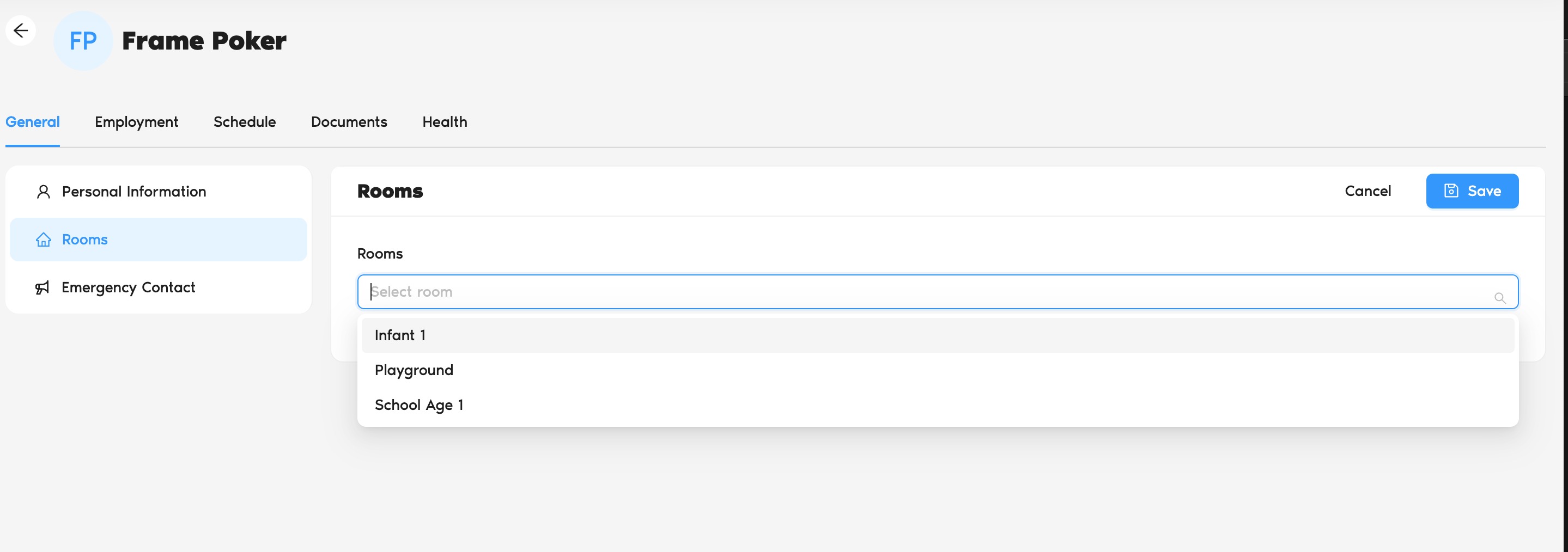
- Navigate to the General tab and locate the Room section.
- Click the Edit button to manage room assignments.
- Select the room(s) you want to assign the educator to.
- Click Save to confirm and apply the changes.
How to Remove an Educator from a Room
To remove an educator from a room, follow the same steps above and simply unselect the assigned room(s), then click Save.
Was this article helpful?
That’s Great!
Thank you for your feedback
Sorry! We couldn't be helpful
Thank you for your feedback
Feedback sent
We appreciate your effort and will try to fix the article