Follow the steps below to update a child’s waitlist status:
- Go to Admission page: https://app.mydigitalchildcare.com/admissions
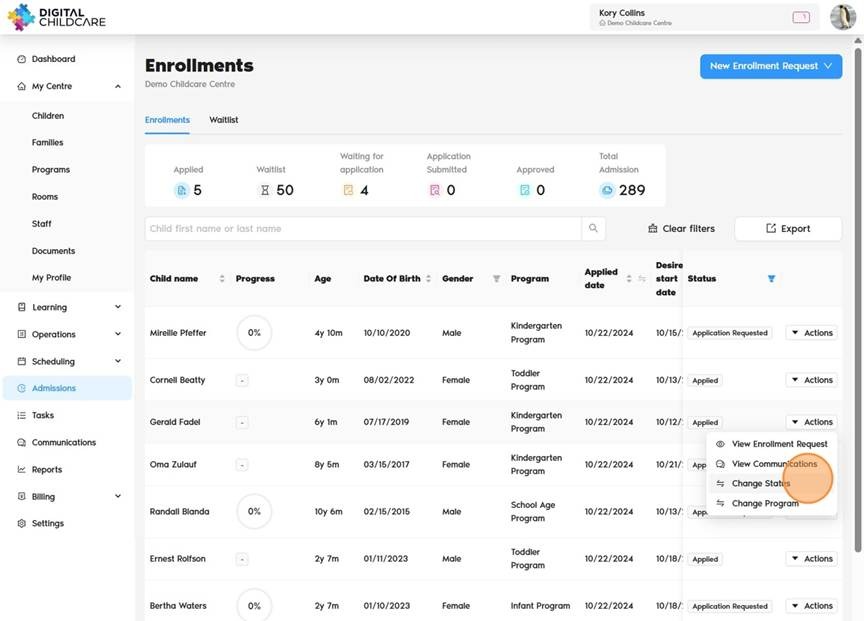
- Find the child: Locate the child whose status you want to update using the list or search bar.
- Click on Actions next to the child’s name, then select Change Status button.
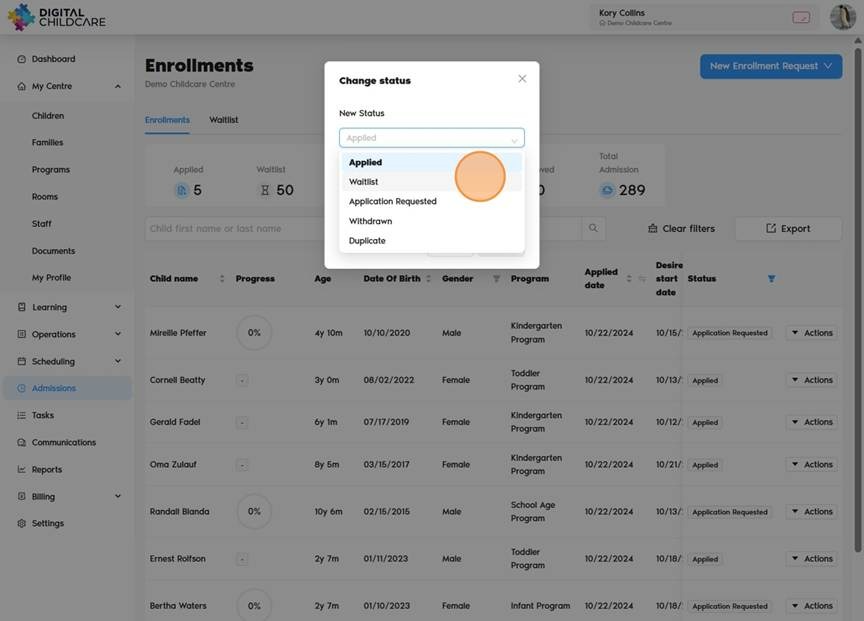
- A status change dialog will open.
- Select the new status (e.g., Applied, Waitlist, Application Requested, Withdrawn, Duplicate, Parent Withdrawn)
- Click Save to apply the change
Was this article helpful?
That’s Great!
Thank you for your feedback
Sorry! We couldn't be helpful
Thank you for your feedback
Feedback sent
We appreciate your effort and will try to fix the article