To complete the Pre-Authorized Debit (PAD) agreement:
- Parents must access the system via a web browser (such as Safari, Chrome, or Firefox) on their device.
- Log in to the web application.
- Navigate to their profile → Payment Methods.
- Complete and submit the PAD agreement form.
1. Go to the web app: https://app.mydigitalchildcare.com/login and log in.
2. In the top-right corner, click on your profile photo.
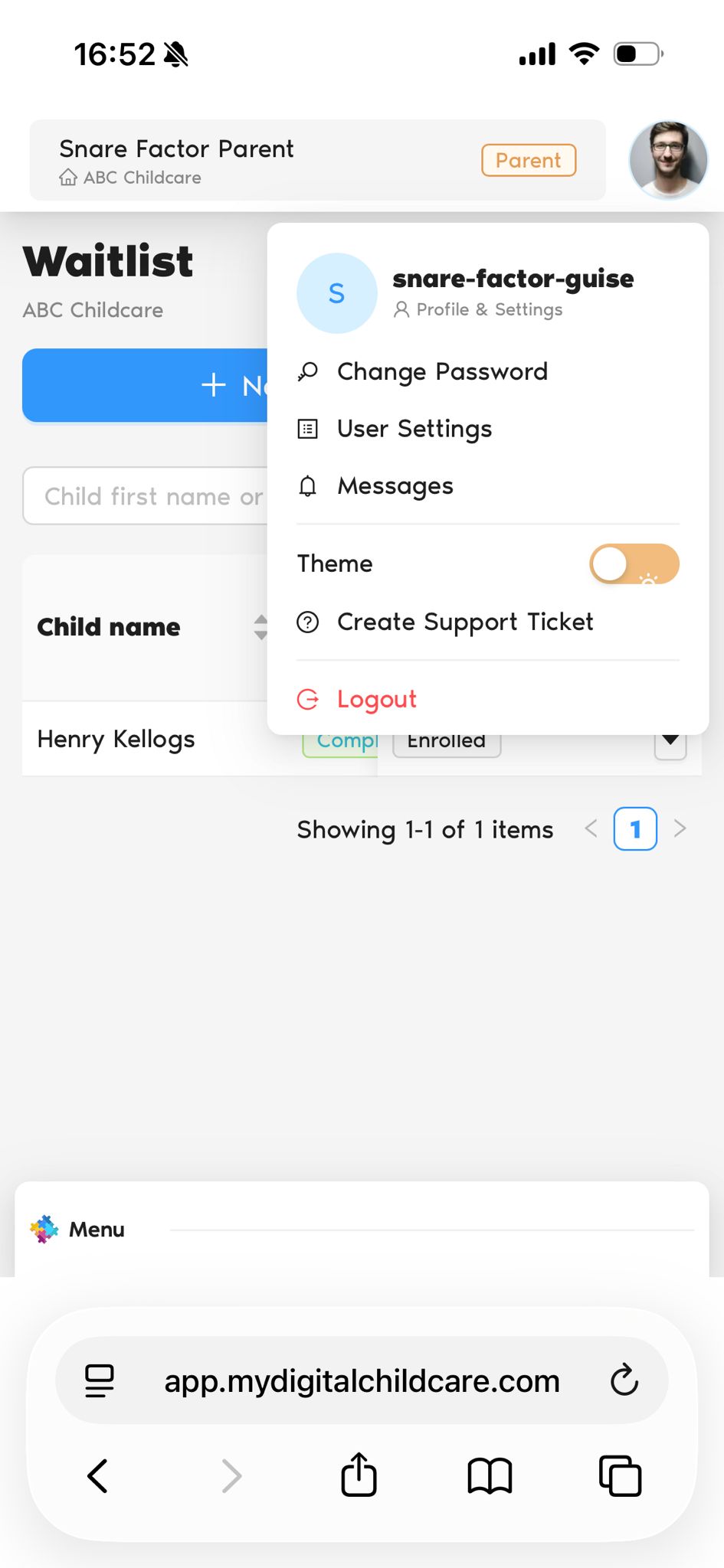
3. From the dropdown menu, select the Profile icon.
4. You will be redirected to the Parent Profile page.
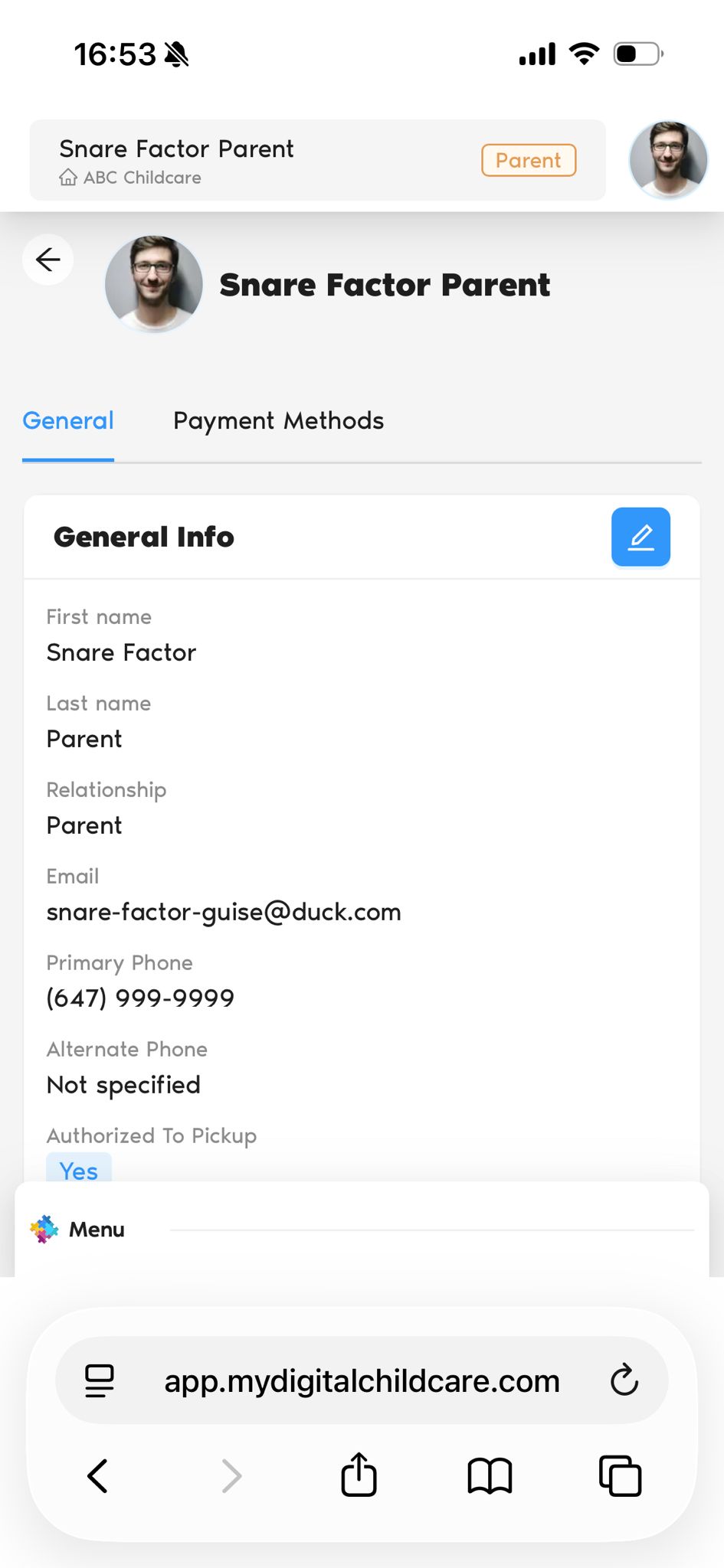
5. Navigate to the Payment Methods tab.
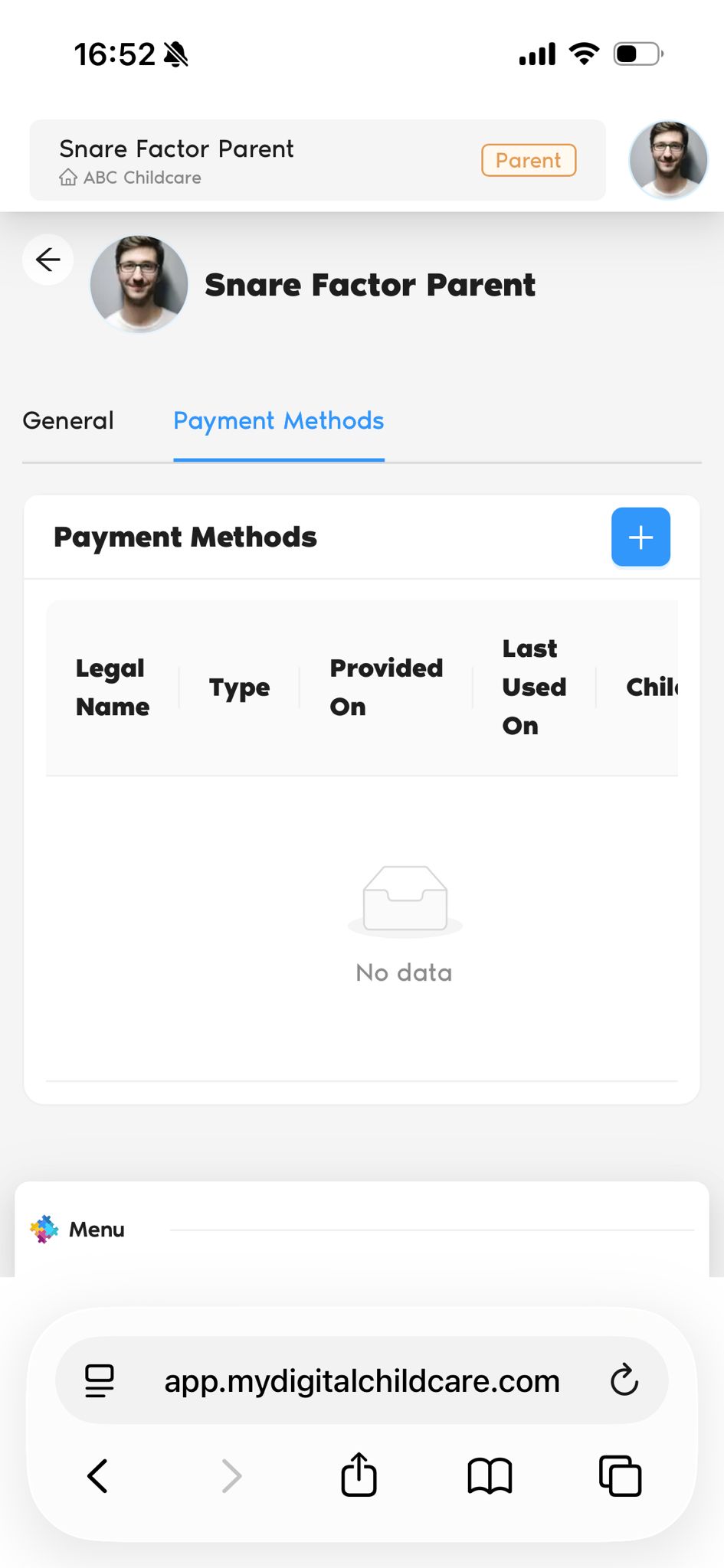
6. Click the Add (+) button.
7. The PAD Agreement form will open.
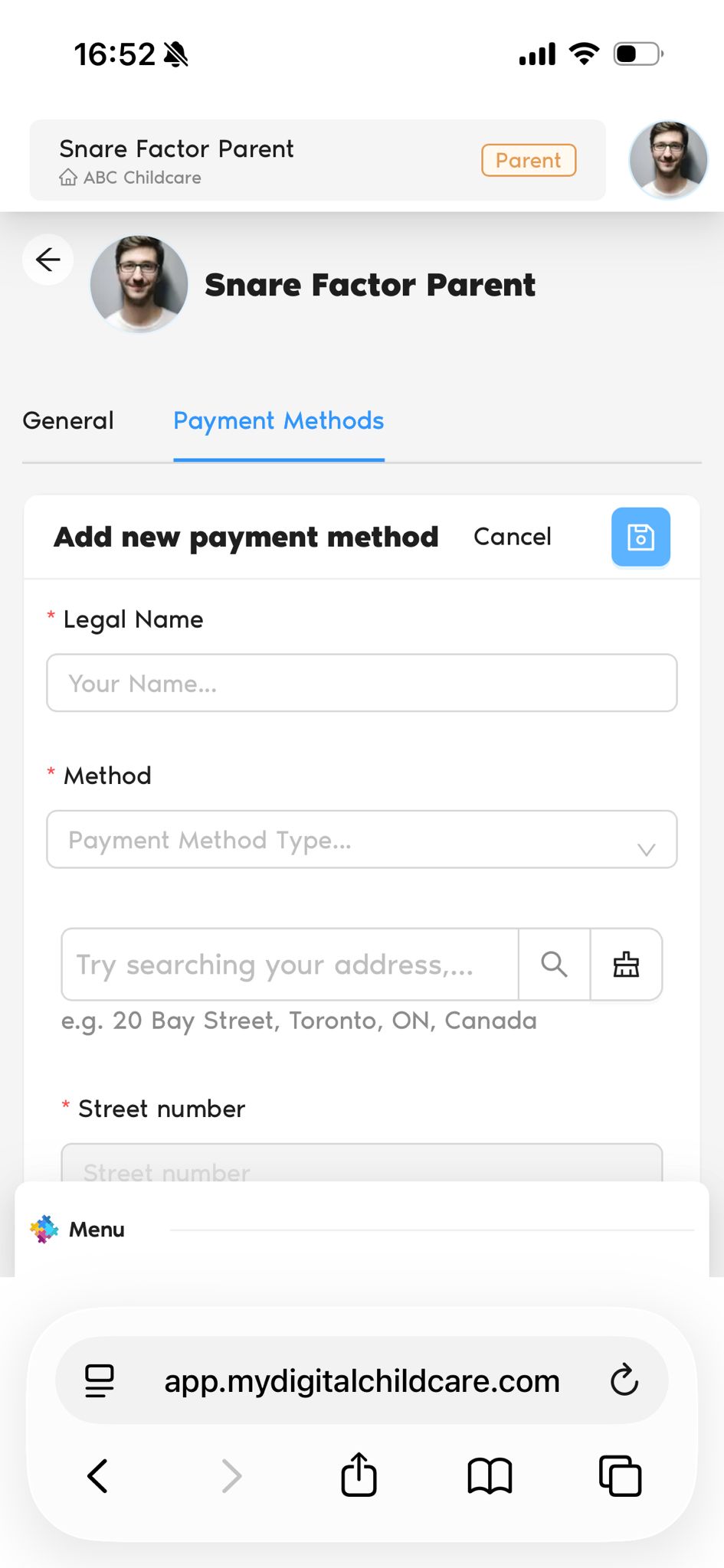
8. Fill out all required fields.
9. Click Save to submit the form.
Was this article helpful?
That’s Great!
Thank you for your feedback
Sorry! We couldn't be helpful
Thank you for your feedback
Feedback sent
We appreciate your effort and will try to fix the article