Digital Childcare does not allow admins to delete a program if there are existing children enrolled. However, admins can close the program for future enrollment.
To close a program for new enrollment, follow these steps:
1. Go to the Programs page: https://app.mydigitalchildcare.com/my-centre/programs
2. Select the program you wish to close for new enrollment.
3. Click the Actions button on the right side of the program.

4. Click Change Close Status buton. It will open a dialog for date selection.
5. Select the date you want to close the program for new enrollment.
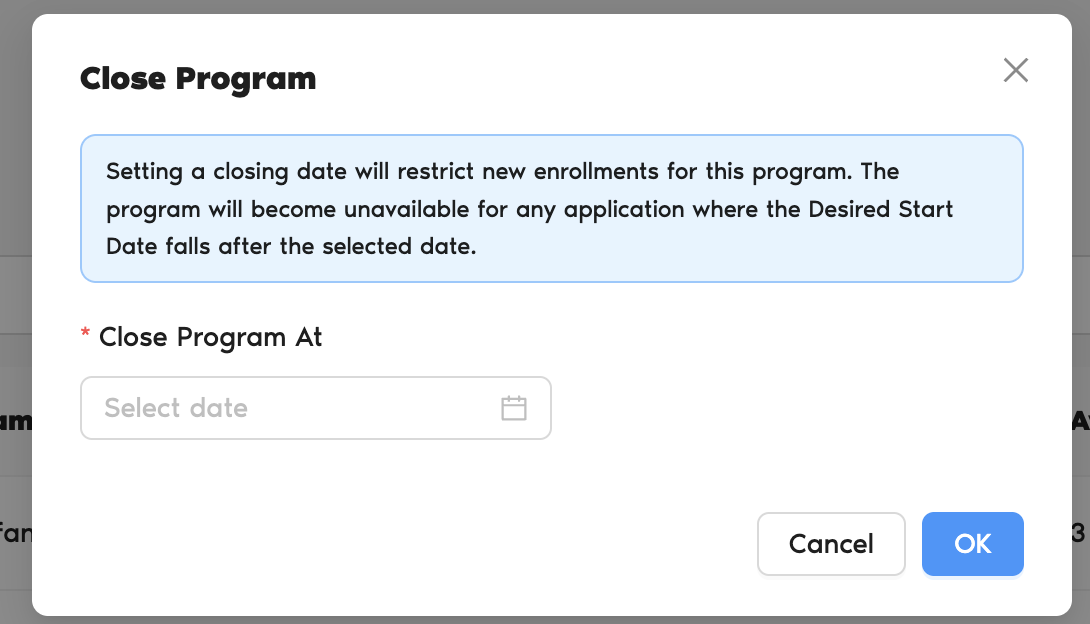
6. Click OK to confirm.
7. Click Cancel if you wish to cancel the action.
8. Once closed, the program will no longer be visible to parents on the new enrollment request form.
Was this article helpful?
That’s Great!
Thank you for your feedback
Sorry! We couldn't be helpful
Thank you for your feedback
Feedback sent
We appreciate your effort and will try to fix the article