1. Click Billing from the left menu. The Unpaid Balances page opens by default.
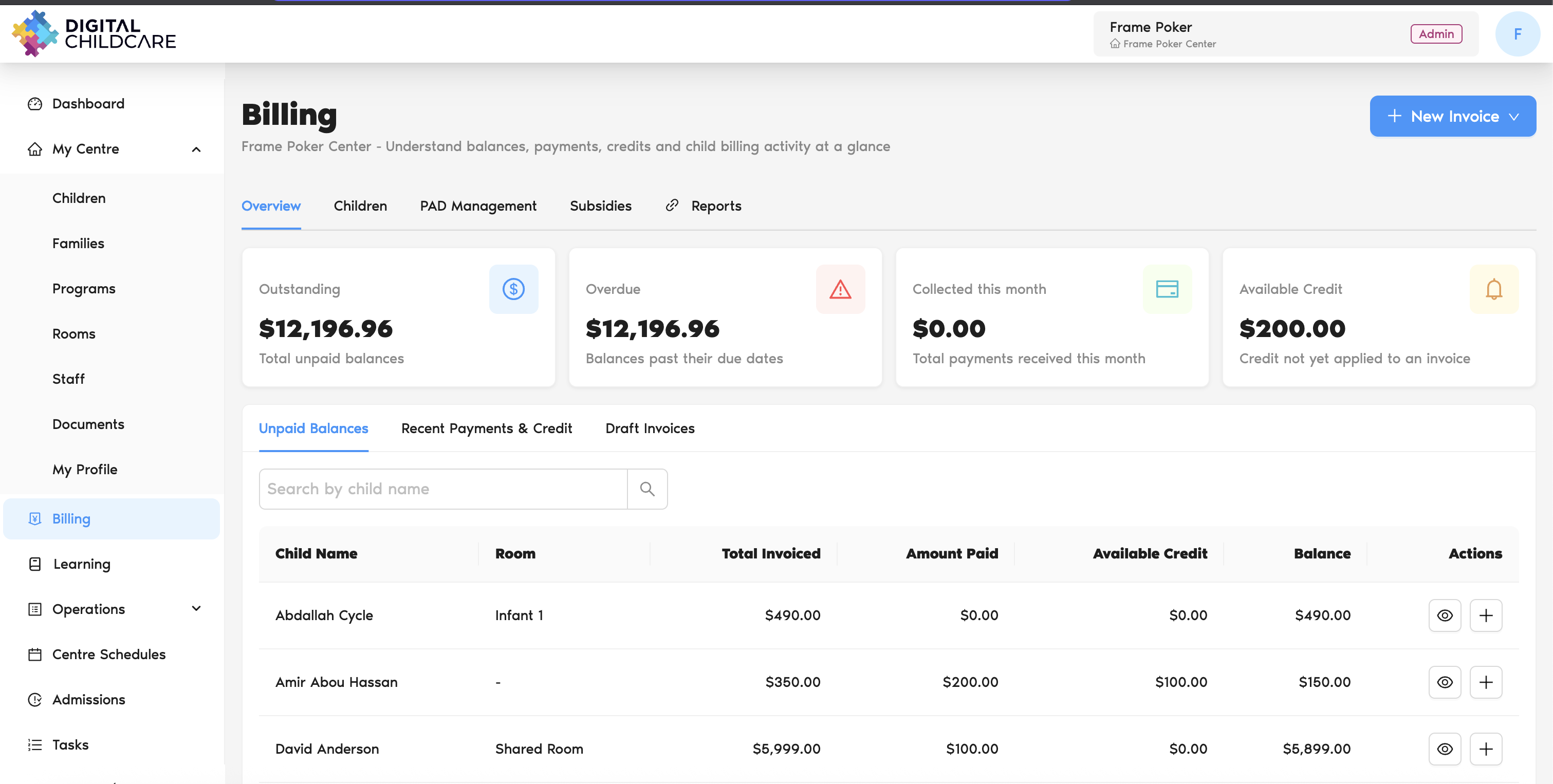
2. Locate the child you want to add a payment.
3. Click the + icon on the right side of the row under Actions header.
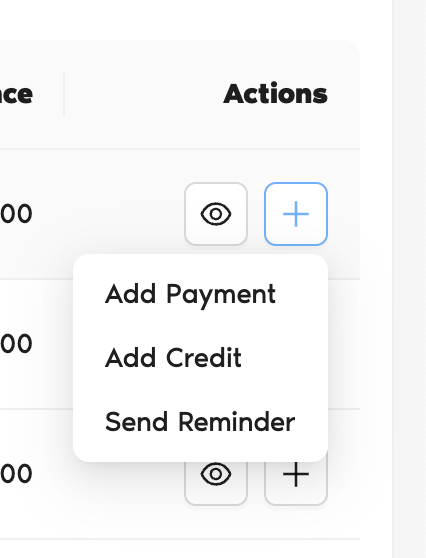
4. Select Add Payment.
5. The Create Payment page will open.
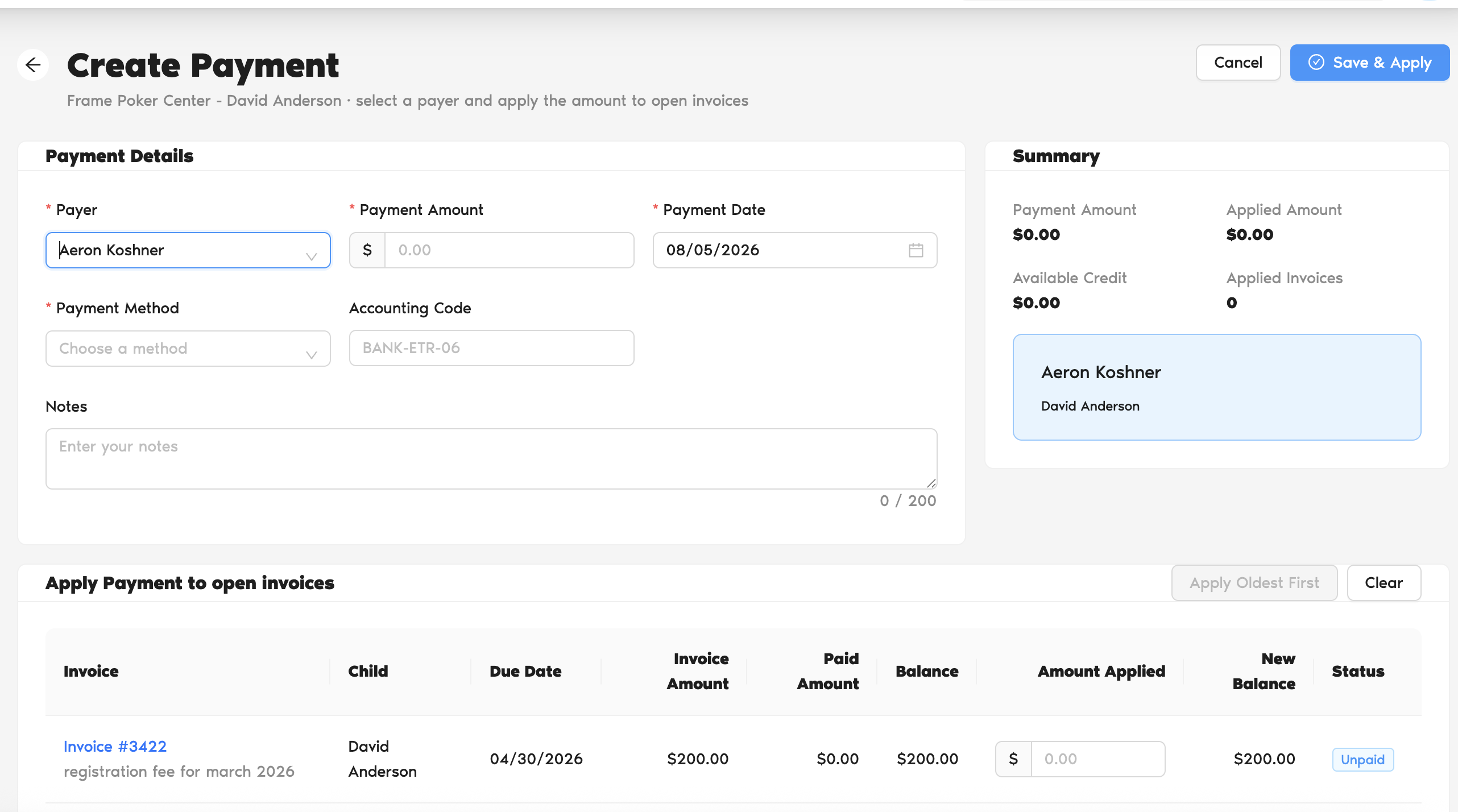
6. Select the Payer and enter the payment details.
7. After selecting the payer, all unpaid invoices for that payer will appear in the Apply Payment to Open Invoices section.
8. Enter the Payment Amount. The system will automatically apply the payment to the oldest unpaid invoices first.
9. If needed, adjust how the payment is applied to the invoices.
10. Click Save & Apply in the top-right corner of the page.
11. The payment will be saved and applied to the selected invoices.
12. If the payment fully covers an invoice, the invoice status will automatically change to Paid.
Was this article helpful?
That’s Great!
Thank you for your feedback
Sorry! We couldn't be helpful
Thank you for your feedback
Feedback sent
We appreciate your effort and will try to fix the article